A3 Mania Macro
v1.2.0GamingAuto HP, MP & Shue potions, emergency Town Portal, and Auto Shield — runs silently while you play A3 Mania.
What It Does
Auto HP Potion
Automatically uses your HP potion when your health drops below your chosen threshold. Never die from forgetting to pot.
Auto MP Potion
Keeps your mana topped up automatically during combat so your skills are always ready to fire.
Auto Shue Potion
Monitors your Shue bar and uses your Shue potion automatically, keeping all three bars managed hands-free.
Emergency Town Portal
Instantly opens a Town Portal when your HP reaches a critical level — your last line of defense against dying.
Auto Shield
Runs your shield skill sequence at the press of a hotkey. Configurable skills and revert key for full control.
Pause / Resume
Instantly pause and resume the macro at any time without closing the app. Zero interruption to your session.
Screenshots
See the app and the game in action.
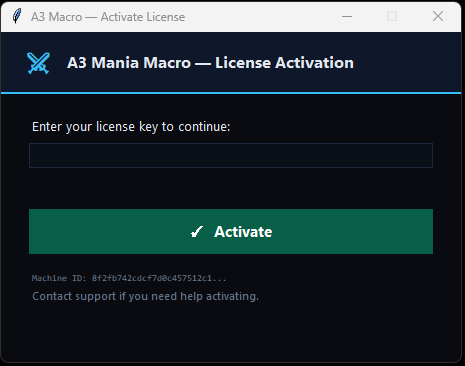
License activation — enter your key to get started
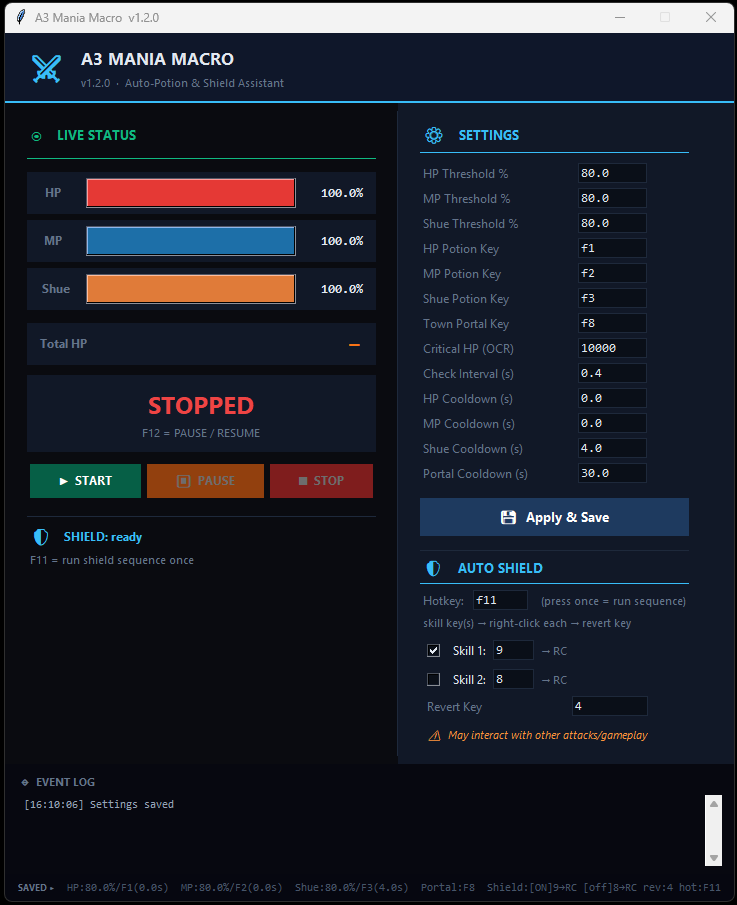
Main app — live HP/MP/Shue bars, settings, and Auto Shield
How to Get Started
Up and running in under 5 minutes.
Activate your license
Open the app and enter your license key to unlock it. Your Machine ID is shown automatically so support can assist if needed.
Set your thresholds
In the Settings panel, enter the HP %, MP %, and Shue % at which you want each potion to fire. Set your potion keys to match your in-game bindings.
Configure Auto Shield (optional)
Enable the Auto Shield section, pick which skill keys to use in the sequence, and set your revert key. Press F11 in-game to run the shield sequence once.
Click Start and play
Hit Start in the app, switch to A3 Mania, and play normally. The macro watches your bars and acts for you. Press F12 to pause or resume at any time.
Never die in A3 Mania again.
Download the installer, activate your license, and let the macro handle your potions so you can stay focused on the fight.
Windows 10 / 11 · 7-day free trial · ₹1,000 lifetime